Messaging Center
The Messaging Center is responsible for launching flows when emails, queue/messaging system notifications or other events are received.
Open the Messaging Center by clicking the circled icon in the top navigation bar.

We currently support the following messaging types
- Email - monitors an IMAP inbox and processes on receipt.
- Internet of Things / MQTT
- Redis Event Stream
- Redis Pub/Sub
We will shortly be releasing support for
- SMS
- AWS SQS/SNS
- Azure Service Bus, Queue Storage and Event Hubs
If you have a requirement for an alternative messaging system, please email info@ziggyplatform.com.
Main listing
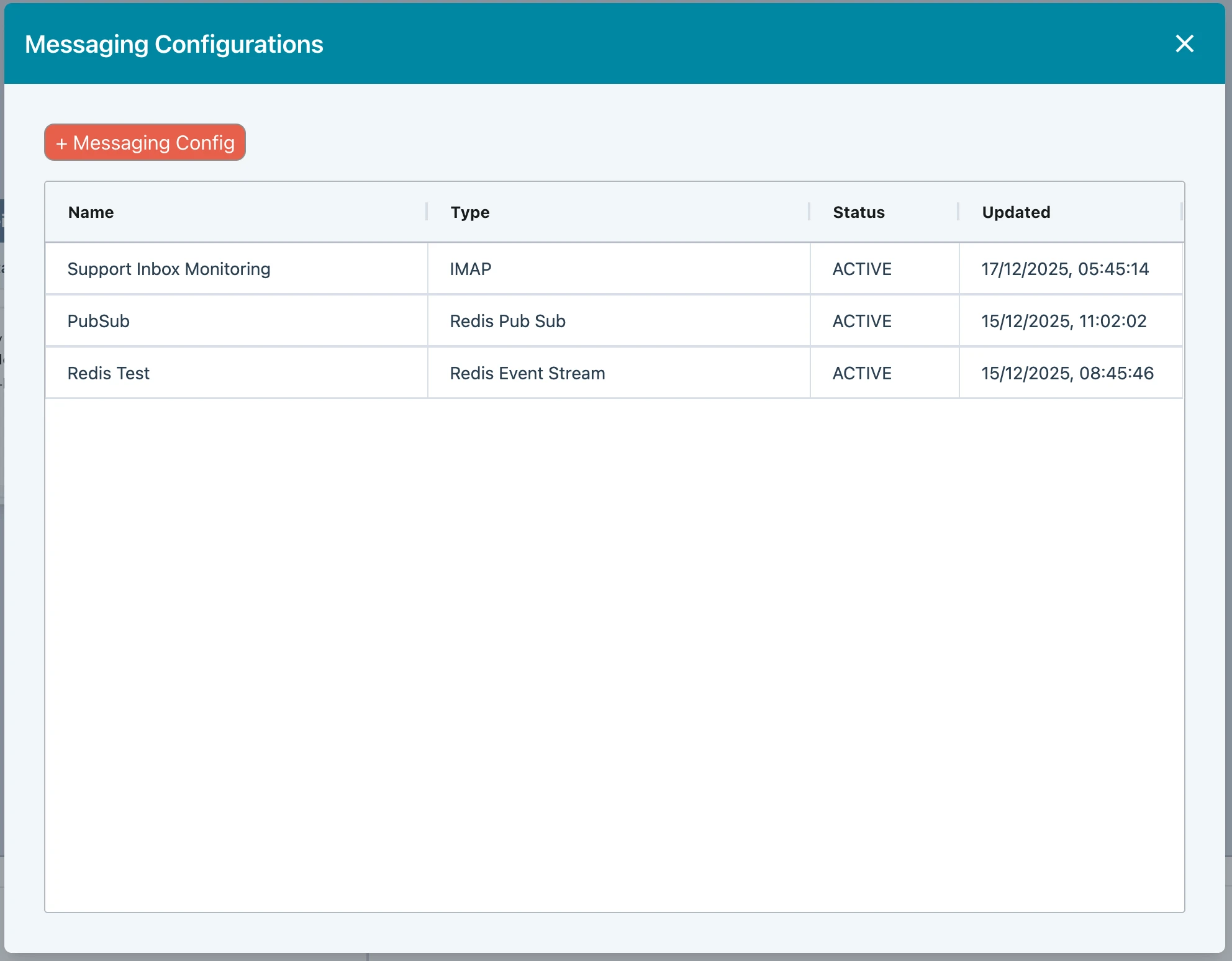
Below is an example of the Messaging Center with 3 items.
Configuration screen
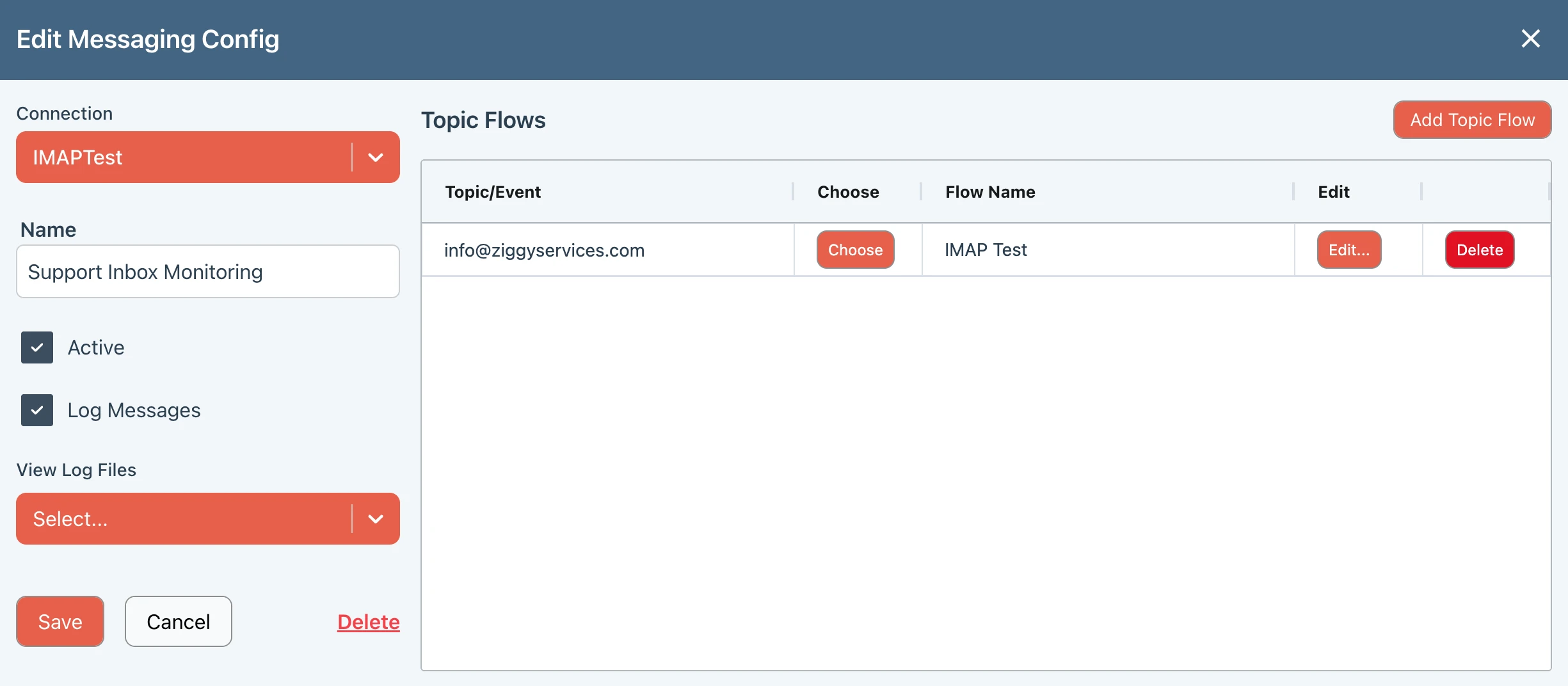
Click on an item in the listing to bring up the configuration screen.
Connection
Select a Connection to use. You need to have configured the connection first. You will only be shown connection types that work with the Messaging Center.
Name
Enter a friendly name that will appear in the main Messaging Center listing.
Active
You can toggle this setting. Disabling it will suspend messages from being processed.
Log Message
This enables logging for all events and updates made in this screen.
You can view the logs from the View Log Files dropdown.
Adding Topic Flows
- Press the Add Topic Flow button to add an entry into the Topic Flows listing.
- Double-click in the Topic/Event field to provide the email, channel, stream (whatever is relevant for your messaging type).
- Choose a flow that will be launched when a notification is received.
Saving
Press Save when to save any changes made anywhere on this screen. The service will be updated within a brief time.
Ziggy Blocks
There are blocks that are related to some of these services.
- MQTT Publish
- Twilio SMS
More can be added upon request.